Why Your Structural BIM Process is Slower Than AutoCAD
- Lisa Brown
- Jul 15
- 5 min read
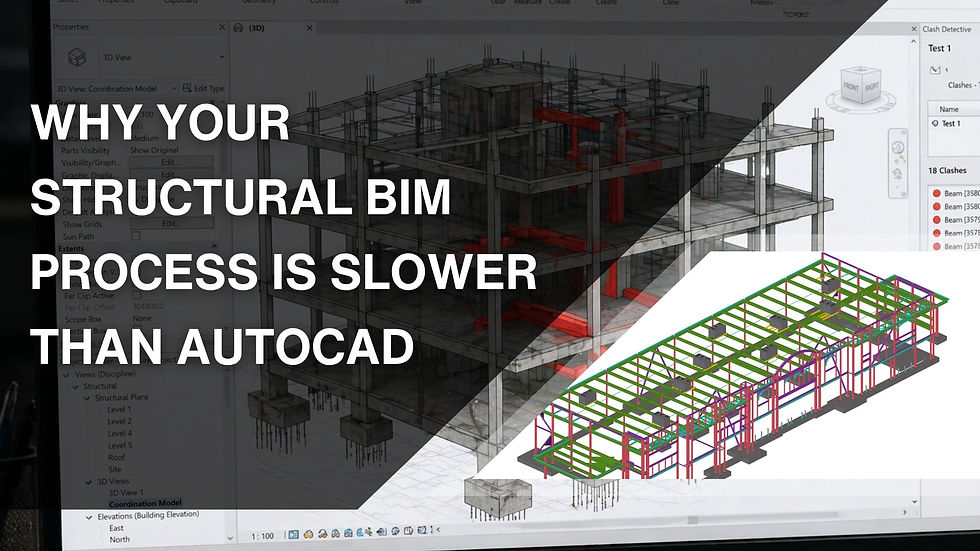
You switched from AutoCAD to BIM expecting faster production, fewer revisions, and better coordination. Instead, some tasks now seem to take longer. Models require more attention, file sizes grow, coordination meetings increase, and every change appears to affect several parts of the project.
This situation is more common than many teams admit. The problem is often not the software itself. It is the way the workflow has been built around it.
Teams that feel their Structural BIM Modeling Services process is slower than
AutoCAD usually have a few workflow issues that quietly consume hours every week. Once those issues are identified and corrected, the same project can move much faster without lowering model quality.
The Team Is Modeling Too Much Too Early
One of the biggest reasons a BIM workflow slows down is starting with more detail than the current project stage requires.
Many modelers begin creating highly detailed connections, plates, bolts, stiffeners, or reinforcement before the design has stabilized. When structural layouts change, all of that detailed work has to be revised.
AutoCAD users often postpone detailed drafting until key decisions are complete. That habit still works well in BIM. Develop the model according to the required level of development for each project phase instead of trying to complete everything at once.
Many experienced providers of Structural BIM Modeling Services follow staged model development because it keeps revisions manageable while maintaining steady project progress.
Every Element Is Created from Scratch
Another common issue is rebuilding similar components repeatedly.
If every beam connection, column family, truss component, or framing assembly is modeled manually, production time increases significantly.
A well organized BIM library saves countless hours over the life of multiple projects. Standardized families, templates, view settings, schedules, and connection details reduce repetitive work and create consistency across the entire team.
AutoCAD users often rely on detail libraries and reusable blocks. BIM teams need the same mindset, only with intelligent model components.
Large Models Are Slowing Everyone Down
Performance problems can quietly reduce productivity.
As models become larger, opening files, synchronizing with central models,
regenerating views, and navigating through complex geometry all require more time.
The slowdown usually comes from unnecessary content such as duplicated families, unused views, imported CAD files, oversized linked models, or excessive detail that provides little value.
Regular model maintenance is often overlooked because teams focus on deadlines. However, spending a short amount of time cleaning the model every week can save many hours during the remaining project work.
This is one reason why experienced teams providing Structural BIM Services include model health reviews as part of their normal workflow rather than waiting until performance becomes a problem.
Coordination Happens Too Late
Some teams finish most of the structural model before checking coordination with architecture and MEP disciplines.
When clashes are discovered late, structural members often need to be relocated, resized, or redesigned. Those revisions spread across drawings, schedules, sections, and details.
Running coordination checks throughout the project instead of waiting until major milestones keeps changes much smaller.
This approach reduces rework and allows each discipline to resolve conflicts before they affect the overall model.
Too Many People Edit the Same Areas
Large projects usually involve multiple modelers working together.
Without clear ownership, two people may edit the same framing system, grids, levels, or structural elements. The result is conflicting changes, duplicated work, missing information, or accidental deletion of important components.
Successful BIM teams divide responsibilities clearly. Each modeler understands which areas belong to them, when worksets should be synchronized, and how revisions should be communicated.
Simple workflow rules often save more time than introducing new software.
AutoCAD Habits Continue Inside BIM
Many professionals move from AutoCAD into BIM while keeping the same drafting habits.
Instead of using intelligent modeling tools, they rely on detail lines, manual annotations, copied views, and repeated drafting.
Although this may feel familiar, it removes many of the advantages that BIM provides.
A structural model performs best when the model itself drives drawings, schedules, elevations, and sections. When information is entered only once, updates happen across multiple views automatically.
Teams offering Structural BIM Modeling Services usually focus on building reliable models first because documentation becomes much easier afterward.
Poor File Organization Creates Daily Delays
Naming conventions may sound like a small detail, but inconsistent file organization quickly becomes expensive.
Different naming styles for views, sheets, families, links, and revisions make it harder for everyone to locate information.
Searching for files, checking model versions, or identifying the latest structural package may only take a few minutes each time. Across an entire project, those minutes become many lost working hours.
A consistent folder structure and naming standard help every team member find information without unnecessary searching.
Communication Gaps Create More Rework Than Software
Many workflow delays have little to do with modeling.
Structural changes may be discussed in meetings but never documented clearly. Designers may modify framing layouts without informing detailers. Comments may remain inside emails instead of being tracked within the project workflow.
The result is predictable. Different people continue working with different assumptions.
Clear communication, revision tracking, and regular coordination sessions reduce unnecessary model revisions far more effectively than simply upgrading hardware.
Many firms delivering Structural Engineering Services combine technical modeling with structured review processes because communication has a direct impact on production speed.
Training Stops After Software Installation
Buying BIM software does not automatically create an efficient workflow.
Many teams receive initial software training but never improve their working methods afterward.
As projects become more complex, modelers continue using slow techniques simply because they have never been shown a better approach.
Regular internal reviews allow experienced users to share faster modeling methods, shortcuts, template improvements, and better coordination practices. Small workflow improvements applied across an entire team often produce noticeable productivity gains within a few months.
This continuous improvement is equally valuable for companies delivering Structural Services across multiple projects where consistency matters as much as speed.
Speed Comes from Better Decisions, Not Faster Clicking
Comparing BIM with AutoCAD purely by drawing speed misses the bigger picture.
AutoCAD may allow a detail to be drafted quickly, but BIM asks the team to build information that supports coordination, scheduling, quantity extraction, and documentation throughout the project. When the workflow is organized correctly, much of that information updates automatically instead of being recreated repeatedly.
If your BIM process feels slower than AutoCAD, the answer is usually found in daily working habits rather than the software itself. Reviewing model detail at each stage, organizing reusable content, keeping files clean, coordinating earlier, and improving communication can remove many of the delays that teams experience every day.


Comments